Backpack
🎯 What you will learn
Section titled “🎯 What you will learn”- Where opened cards usually appear.
- How to search or filter when you cannot find something.
- How fragments differ from lootboxes.
- When
Sellor buyback may appear.
🧒 Super simple version
Section titled “🧒 Super simple version”My Backpack is your storage area. If you opened something, look here first before asking where it went.
🖼️ Screen guide
Section titled “🖼️ Screen guide”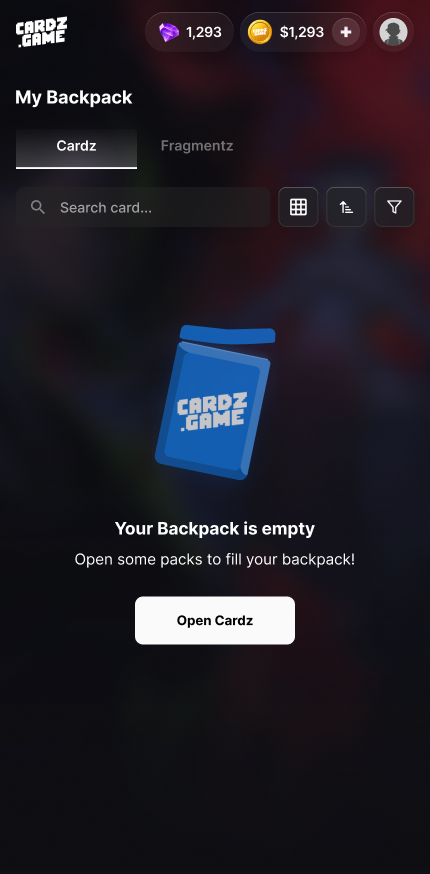
Follow the picture:
- Open
My Backpack. - Use search, tabs, or filters before assuming something is missing.
- Tap a card/item to see available actions.
✅ Step-by-step
Section titled “✅ Step-by-step”Step 1: Open My Backpack.
Section titled “Step 1: Open My Backpack.”Do this after every pack opening if you want to find the result.
Step 2: Search carefully.
Section titled “Step 2: Search carefully.”Try card name, set, category, and filters. Empty state may mean the current filter is too narrow.
Step 3: Choose an action.
Section titled “Step 3: Choose an action.”Depending on the item, you may keep it, ship it, sell it back if eligible, or collect fragments.
🔎 UI labels you may see
Section titled “🔎 UI labels you may see”| UI label | Plain meaning | What to do |
|---|---|---|
My Backpack | Your inventory area | Find opened cards and items here. |
Fragments | Fragments | Collect toward fragment goals; not lootboxes. |
Sell / Buyback | Sell-back action | Only use if the screen shows eligibility and price. |
Ship | Request shipping | Use only after checking card and address details. |
🧯 If you feel stuck
Section titled “🧯 If you feel stuck”- Clear filters and search again.
- Check
Cardz Activityto confirm the opening happened. - Contact support with pack name, time, and screenshot if still missing.
⚠️ Important notes
Section titled “⚠️ Important notes”- Do not confuse
FragmentswithLootbox. - Buyback availability and price can change.
- Shipping a card may remove it from available Backpack actions.
🙋 Tiny questions people ask
Section titled “🙋 Tiny questions people ask”| Question | Simple answer |
|---|---|
| Backpack is empty. Is my card gone? | Not necessarily. Clear filters, check activity, then contact support if needed. |
✅ Before you continue
Section titled “✅ Before you continue”Do these tiny checks before you tap the next button:
- You checked filters.
- You checked the correct account.
- You checked activity before reporting missing items.